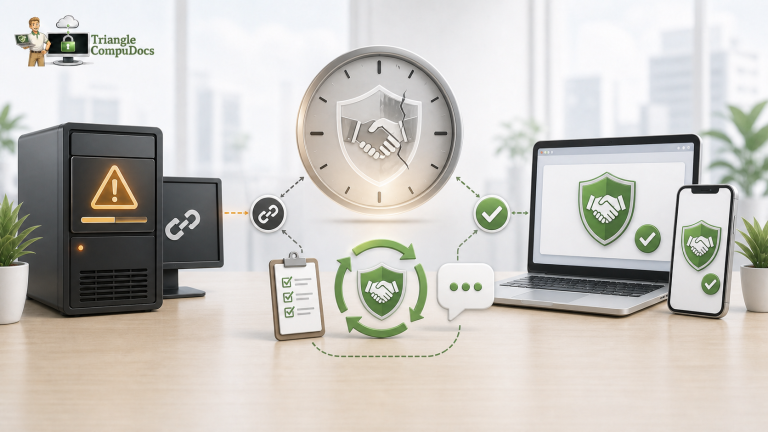
One stolen password, convincing email or employee mistake could expose client information, redirect a payment or give a criminal access to your business. Would you know before the damage was done?
When business owners think about cybersecurity, they often picture a hacker trying to break through a firewall.
But an attack can start much more simply.
An employee receives an email that looks legitimate. The sender is familiar. The request makes sense. They’re busy, so they click a link and enter their password.
Nothing crashes.
No alarm goes off.
And nobody realizes there’s a problem.
One Email. $130,000 Lost.
In a case reported by the FBI, criminals impersonated a seller during a real estate transaction and sent a spoofed email instructing a closing attorney to wire $246,000 to a fraudulent account.
The fraud was eventually discovered, and the bank froze part of the money.
The attorney still lost approximately $130,000.
The criminals didn’t need to break through a firewall.
They needed a believable email delivered at the right time.
That’s what makes Business Email Compromise (BEC) so dangerous. Criminals exploit something every business depends on every day:
Trust and email.
What Could Someone Access With One Employee’s Account?
Think about what’s inside your employees’ Microsoft 365 or Google Workspace accounts.
Emails. Contracts. Invoices. Customer information. Shared files. Project information. Conversations about payments.
Now imagine someone else quietly has access.
Depending on your business, that could expose client communications, financial information, contracts, proposals, project documents or other confidential data.
A compromised employee account isn’t simply an IT problem.
It can quickly become a financial, operational and client-trust problem.
Your Employee Doesn’t Have to Be Malicious
Most employee-related security problems don’t begin with someone deliberately trying to hurt the company.
They begin with normal people doing normal things.
An employee enters their Microsoft 365 password into a fake login page.
Someone shares a password because it’s convenient.
A person sends company files to a personal email account to work from home.
Someone uploads a confidential document to an AI tool because they want help summarizing it.
Or an employee leaves, but an old account or cloud application remains accessible. These are all examples of the employee-related risks identified in the underlying cybersecurity guidance.
Nobody intended to cause a security incident.
But intent doesn’t determine how much damage one can cause.
Would You Know If an Account Was Compromised?
Here’s a question every business owner should ask:
Would we know if an employee account suddenly started doing something unusual?
Suppose an employee normally accesses 10 or 20 files during the day.
Tonight, their account downloads 500.
Would anyone notice?
What about a login from an unusual location? An unexpected device? Someone accessing information they don’t normally need?
Those events don’t automatically mean you’ve been compromised.
But someone should be paying attention.
Because the danger isn’t only that something bad happens.
It’s that something bad happens and nobody notices.
AI Has Created Another Blind Spot
Your employees are probably already experimenting with AI.
That can be good for productivity.
The question is what they’re sharing with it.
A client contract.
A spreadsheet containing customer information.
A confidential email.
An employee may simply be trying to work faster. But without clear guidelines, employees may be deciding for themselves which AI tools are appropriate and what company information can be uploaded.
That’s another security decision you don’t want made accidentally.
Five Questions Every Business Owner Should Ask
You don’t need to become a cybersecurity expert. But you should be able to answer:
- If an employee’s password is stolen, what stops the attacker?
- Can employees access more information than they actually need?
- Would someone notice unusual logins, downloads or account activity?
- Do employees know what company information can and cannot be shared with AI tools?
- When someone leaves, can we confidently remove all of their access?
If your answer to several of those is “I don’t know,” that’s worth paying attention to.
“Everything Is Working” Doesn’t Mean You’re Secure
Email works.
Computers work.
Employees can access their files.
Nobody has reported a problem.
But working and secure aren’t the same thing.
You can have working email with weak account protection. Cloud storage with excessive permissions. Backups that have never been tested. Accounts nobody is monitoring. Former employees who still have access.
You may not discover the gap until something goes wrong.
Then you’re asking much harder questions:
What did they access? Was client information exposed? Can we recover the money? How long will we be down? What do we tell our clients?
Those are expensive questions to answer after an incident.
Find the Gaps Before Someone Else Does
At Triangle CompuDocs, we help small businesses throughout Raleigh, Wake County and the Triangle understand what’s really happening with their technology.
Our Business IT Assessment looks at the bigger picture—including cybersecurity, Microsoft 365 or Google Workspace, backups, computers, user access and the technology your business relies on every day.
We’ll identify areas that deserve attention, explain what they mean in plain English and help develop a documented plan for what comes next.
You don’t need to become the IT expert. You just need to know your business is being protected.
How confident are you in your IT?
Schedule a Business IT Assessment with Triangle CompuDocs.
Find the gaps before a stolen password, convincing email, or simple employee mistake finds them for you.