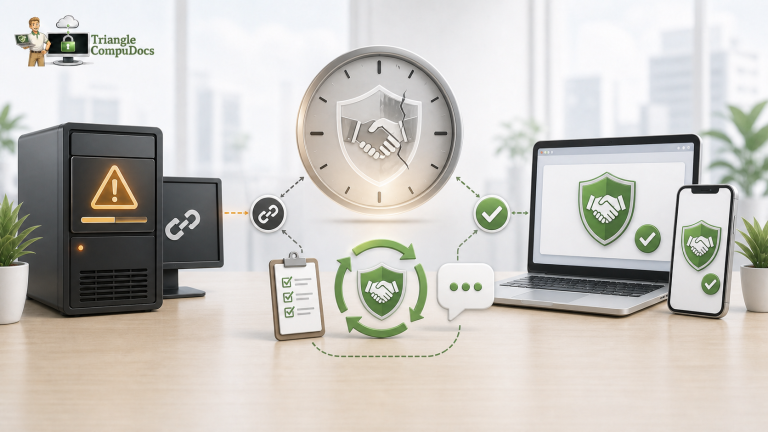
Running a growing business takes a lot of hard work, and your computers, internet, and software need to keep pace with it. Many business owners wait until a major network crash forces the issue before rethinking their technology setup — but waiting for things to break is usually the more expensive path. Getting ahead of problems with professional IT Support Raleigh NC is one of the more reliable ways to stop small technical issues from becoming costly ones.
Partnering with a local team like Tricom turns your technology into something your staff can rely on instead of fight with. If your team spends more time troubleshooting than serving clients, your current setup may be costing you more than you realize. Here are seven signs it might be time for better technical support.
QUICK ANSWERS
Is professional IT support worth it? For most growing businesses, yes. It helps reduce the risk of data loss, cuts down on recurring computer issues, supports better protection against common threats, and keeps systems running so employees can stay productive.
Why do businesses choose outsourced IT support? A predictable monthly fee, ongoing security monitoring, and access to a broader range of technical expertise than one in-house hire can typically provide.
Why Businesses Are Moving Away From In-House-Only IT
Many growing teams start by letting a “tech-savvy” employee handle computer issues on the side. As the business grows across Wake County, that approach tends to fall short.
- Too much for one person: A single employee juggling day-to-day fixes alongside cybersecurity, cloud tools, and backups is a lot to ask.
- Delayed projects: When internal staff are stuck resetting passwords, there’s little time left for the software upgrades that could help the business grow.
- No after-hours coverage: A weekend or late-night system crash can mean starting Monday already behind.
7 Signs Your Business Needs Better Tech Support
If any of these sound familiar, your current setup may be holding you back.
- Constant slowdowns and crashing: Daily freezes or dropped internet connections eat into billable hours.
- You only call IT when something breaks: Relying on emergency, hourly repairs instead of ongoing maintenance is usually the more expensive pattern over time.
- No clear disaster recovery plan: If your office lost power or was hit by a cyberattack today, would you know how fast you could recover your data?
- Slow onboarding for new hires: Getting a new employee’s laptop and accounts set up should take hours, not days.
- Frequent security software alerts you don’t fully understand: Alerts that go uninvestigated are a sign your team needs more dedicated oversight.
- No documented IT budget: If tech costs swing wildly month to month, you’re likely stuck in a reactive cycle.
- Your team avoids reporting small issues: When staff stop mentioning glitches because “IT takes too long,” small problems can turn into bigger ones.
Comparison: Basic Emergency Repairs vs. Managed IT Support
| Feature | Basic Break-Fix Repair | Managed IT Support |
|---|---|---|
| Problem-solving approach | Reactive, after something breaks | Proactive, before it causes downtime |
| Network protection | Basic, unmonitored antivirus | Ongoing monitoring and protection |
| Backup integrity | Manual, unverified | Tested, verified backups |
| Cost predictability | Unpredictable emergency bills | Flat monthly fee |
How Better IT Support Improves Your Business Security
A dedicated technical team builds layered protection around your business data. Microsoft’s own security guidance highlights multi-factor authentication and automatic software updates as two of the most effective steps toward blocking common malware attacks.
- Automated security updates: Patches install in the background, closing gaps before they can be exploited.
- Phishing protection: Email filters help catch suspicious messages before employees click them.
- Monitored system logs: Ongoing monitoring helps flag unusual file activity or login attempts.
Why 24/7 Network Monitoring Matters
Technology issues don’t follow a nine-to-five schedule. A server error at midnight can disrupt your entire morning if nobody catches it in time.
- Overnight fixes: Automated alerts let engineers address background issues before your team arrives.
- Fewer midday interruptions: Updates and reboots are scheduled for off-hours.
- Early hardware warnings: Monitoring can flag a failing drive before it fails completely.
How Better IT Support Helps Businesses Scale
When your systems run reliably, your team can focus more time on growth.
- Faster onboarding: New hires can be set up with a laptop and accounts in hours, not weeks.
- More predictable cash flow: A flat-rate plan makes annual budgeting easier.
- Better collaboration tools: Cloud and communication software help keep local and remote teams connected.
Consider a professional services firm relying on a manual, unverified backup drive. If a power surge damaged their office hardware and the backup hadn’t run properly in months, the resulting data loss could cost weeks of client records. Moving to automated, verified off-site backups is the kind of change that helps prevent that scenario — every setup is different, so the right plan depends on your current systems.
Why Choose a Local Raleigh IT Provider?
Working with a local technology team offers a real advantage when hardware fails physically. With engineers based near I-40, I-440, and US-1, an on-site visit doesn’t mean a long wait. We proudly serve businesses across Raleigh, Durham, Cary, Chapel Hill, and Wake Forest, and being local means a face-to-face partner who knows the area.
Key Takeaways
- Recurring computer issues are often a sign your business has outgrown its current tech support.
- Proactive maintenance helps prevent major data loss and downtime.
- Automated security updates help block common attack methods.
- A flat monthly fee makes IT costs easier to budget for.
- Local teams can respond quickly to physical hardware issues.
Ready to Upgrade Your IT Support?
If your growing business is tired of slow response times, network issues, or security concerns, Tricom is here to help. Contact our local team to schedule a free technology assessment built around your setup.
FREQUENTLY ASKED QUESTIONS
How do I know if my business has outgrown our current IT support?
If your team deals with frequent freezes, long wait times for help, or has no clear backup plan, it may be time for an upgrade.
What does proactive IT support actually mean for my company?
It means using monitoring tools to check your network health continuously, catching and fixing issues in the background before they cause downtime.
Can you help us design a disaster recovery plan?
Yes. We help set up automatic, encrypted backups so you can recover your files quickly if an emergency or outage occurs.
Do you offer on-site help when office hardware fails?
Yes. Most issues are resolved remotely, but our local engineers can come on-site whenever a physical device needs hands-on repair.
How do managed IT services help lower monthly costs?
By replacing unpredictable emergency repair bills with a flat monthly rate, which makes budgeting easier and helps avoid surprise expenses.